Microsoft 365 Guide
Welcome to Microsoft 365! This guide will show you how to use Microsoft 365, Outlook and email forwarding set up!
How to get started with Microsoft 365
Microsoft 365 is a product family of productivity software, collaboration and cloud-based services. It gives you access to the latest version of Office apps.
Benefits
- Cloud-based storage on OneDrive
- Collaboration — Microsoft Teams
- Integration with third party apps, other Microsoft services
- Security features — Data encryption
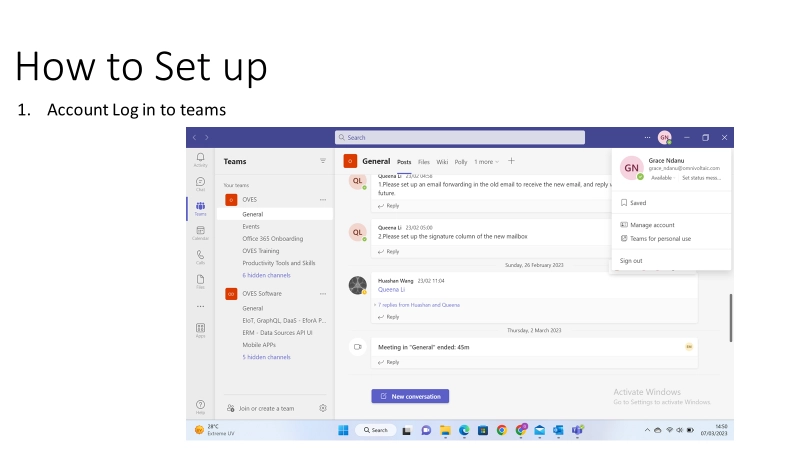
1. How To Set Up
- Account — Log in to Teams
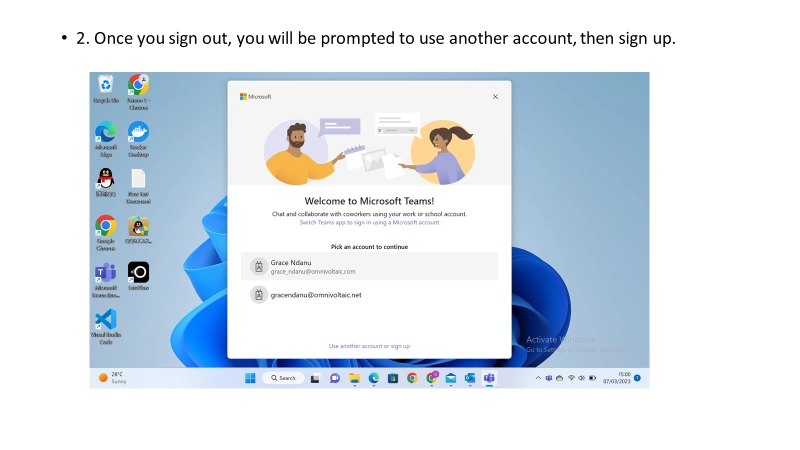
- Once you sign out, you will be prompted to use another account, then sign up
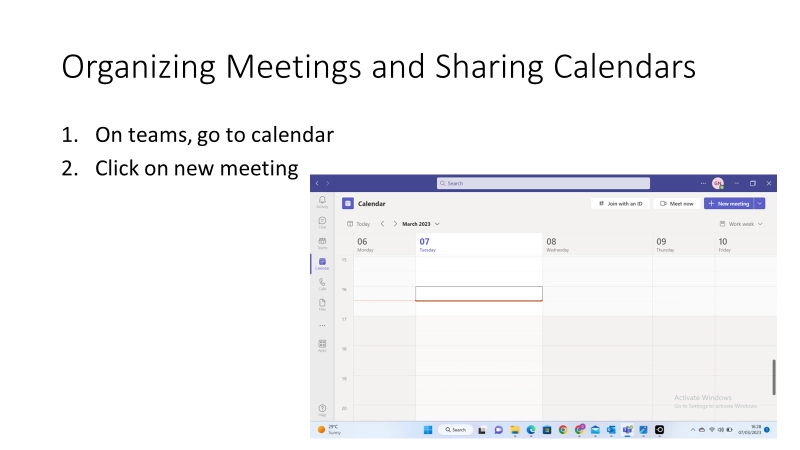
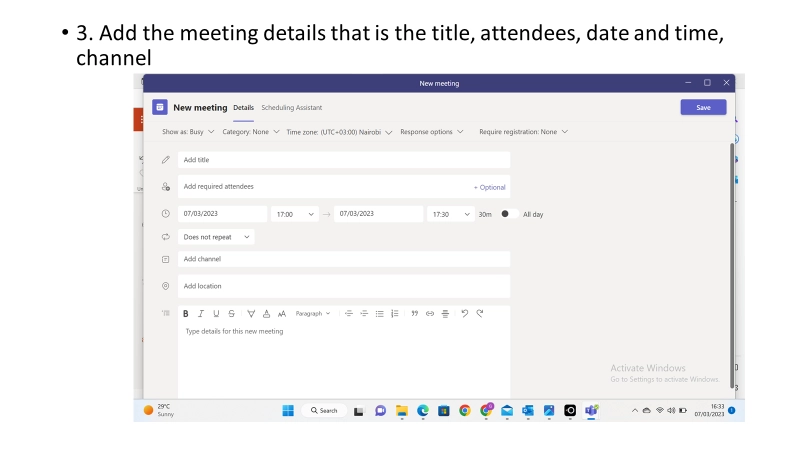
2. Organizing Meetings on Teams
3. Office 365 web suite
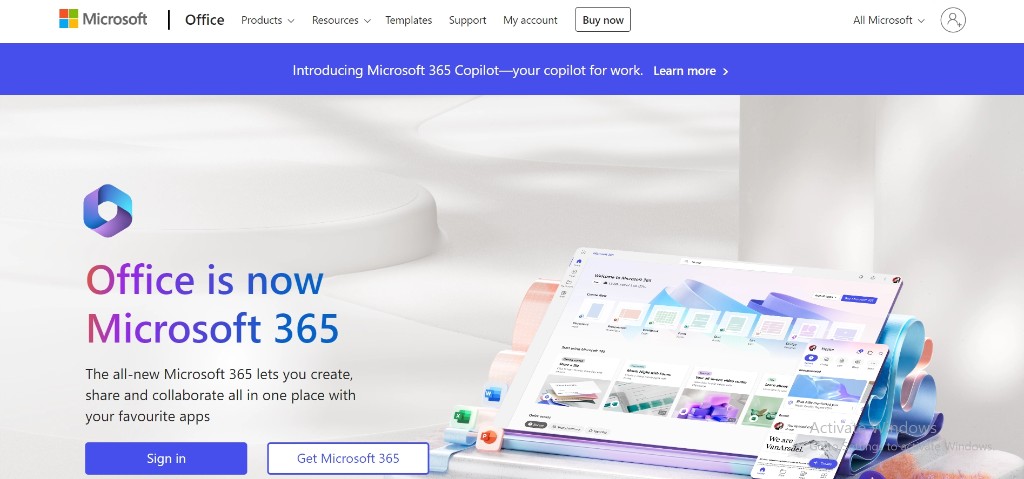
To access the Office 365 web suite, go to https://www.office.com/
You will be prompted to sign in with the new mail.
4. Setting up email on Outlook
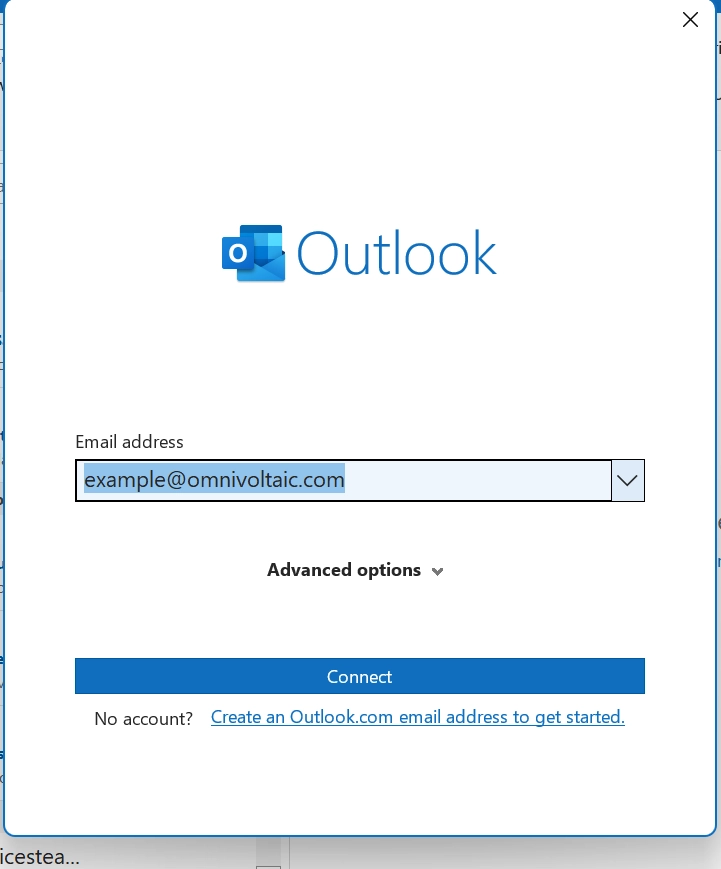
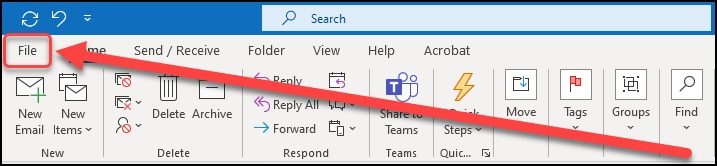
- Go to your Outlook application, click on File
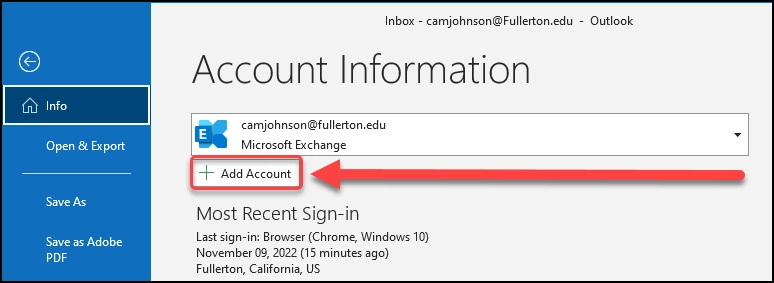
- Enter the email address you want to add to your Outlook, then click Connect